How to play our games
The quickest way is to go directly to Retroworks Play:

Whether you are familiar with "retro" or if we do not want everyone to be able to play the games so from here we tell you.
Playing on PC/MAC/CONSOLA by emulators
Playing directly in the browser by emulation
PLAYING ON PC/MAC/CONSOLA BY EMULATORS
EMULATORS are programs that encapsulate a different machine. Our games are for old machines of which few are left and sometimes it is difficult to get them, therefore emulators are an immediate, simple and mostly free solution.
RETRO VIRTUAL MACHINE ZX SPECTRUM AMSTRAD CPC
Retro Virtual Machine is an emulator that runs on Windows, Linux and MAC environments. Its page is very complete and even contains user manuals. It is the most professional looking emulator to date.
- RetroVirtualMachine WEBSITE
- Plataformas RETRO
- ZX SPECTRUM
- AMSTRAD CPC
- Sistema operativo:
- Windows
- Linux
- MAC
ES.PECTRUM ZX SPECTRUM
Es.pectrum is a Spectrum architecture machine emulator. It currently emulates 51 different models. It is also capable of emulating additional hardware, different options and settings, etc.
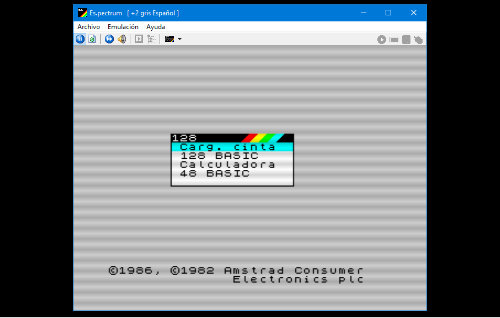
- Es.pectrum WEBSITE
- Plataformas RETRO
- ZX SPECTRUM
- Sistema operativo:
- Windows
BLUEMSX MSX
BLUEMSX It is an emulator of the Japanese MSX standard in all its versions. For us it is the best option to play our MSX titles.
- BlueMSX WEBSITE
- Plataformas RETRO
- MSX
- Sistema operativo:
- Windows
WINAPE AMSTRAD CPC
WINAPE emulates AMSTRAD machines in Windows environments.
- WinAPE WEBSITE
- Plataformas RETRO
- AMSTRAD CPC
- Sistema operativo:
- Windows
CPCEC AMSTRAD CPC
CPCEC is another fairly simple but powerful AMSTRAD CPC emulator.
- CPCEC WEBSITE
- Plataformas RETRO
- AMSTRAD CPC
- Sistema operativo:
- Windows
FUSE ZX SPECTRUM
FUSE was born as an emulator for Linux although there are versions for Windows.
- Fuse WEBSITE
- Plataformas RETRO
- ZX Spectrum
- Sistema operativo:
- Linux
ZX DS ZX SPECTRUM
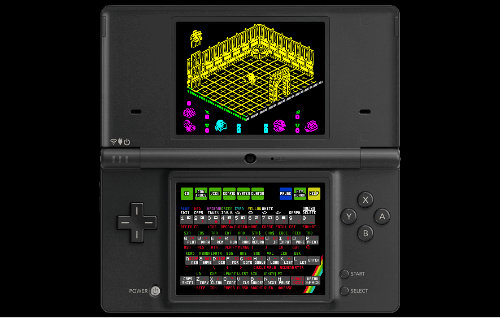
ZX DS is the best ZX Spectrum emulator for NintendoDS.
- ZX-DS WEBSITE
- Plataformas RETRO
- ZX Spectrum
- Sistema operativo:
- Nintendo DS
PLAYING DIRECTLY IN THE BROWSER
Browsers have more and more capabilities and there are versions of emulators capable of running on a page and running games. It is worth a try.
ARCHIVE.ORG
It makes a huge amount of old content available to us and not just video games.
PLAYING ON A REAL MACHINE
If you have a real machine that works you can load our games by various methods:
LOADING OUR PHYSICAL COPIES
Any of our physical copies are checked on the original machines and whether they are tapes or cartridges they must work following the protocols of the time. You can visit our SHOP to see if the game you want is available.
MAKING YOUR OWN TAPE / CARTRIDGE
With the right software you can create your own tape or cartridge. Check the download section of each game.